
Python Program Life Cycle
Introduction
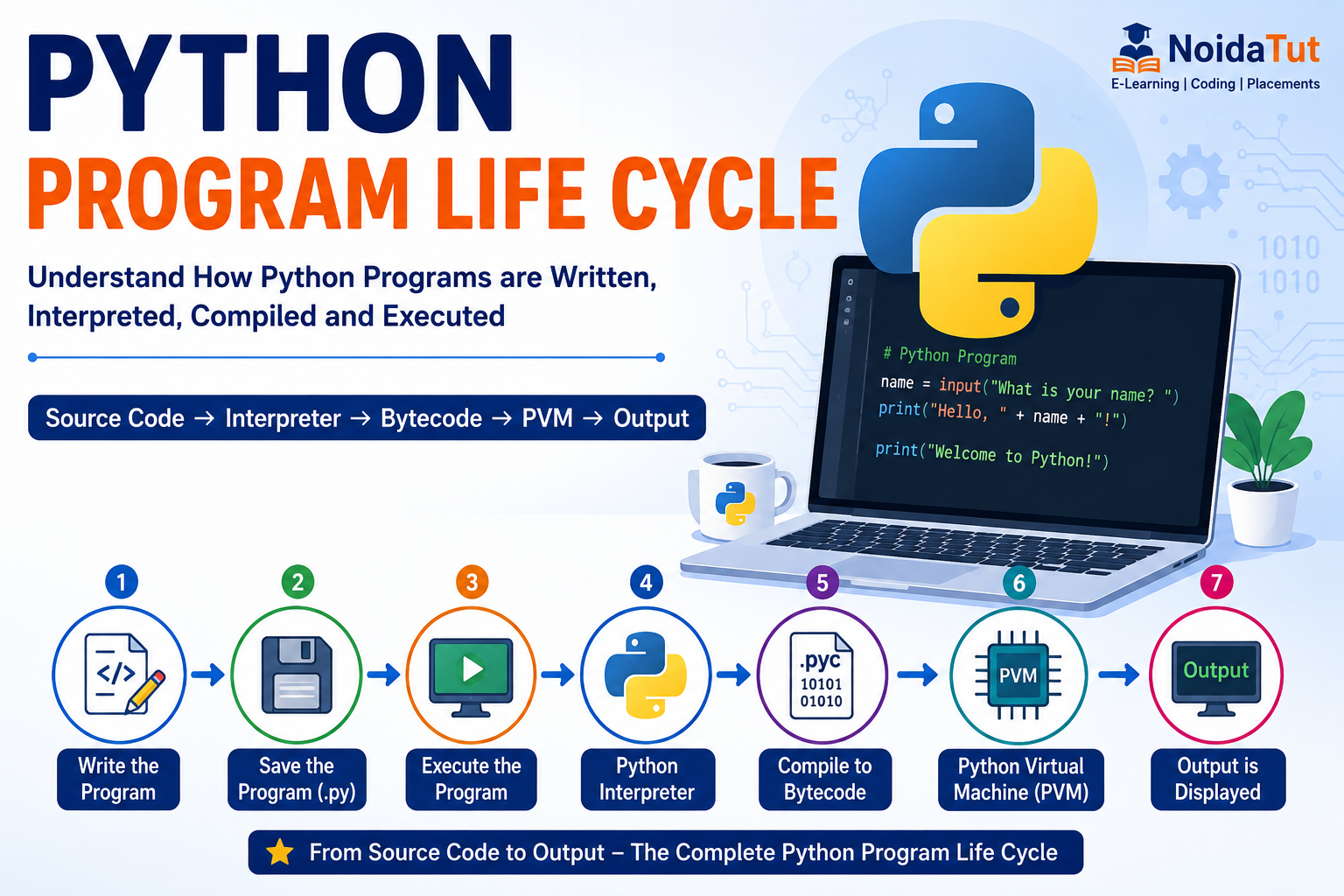
A Program Life Cycle describes the sequence of steps followed from writing a Python program to obtaining the final output. Every Python program passes through different stages such as editing, saving, execution, interpretation and displaying the output.
Understanding the Python Program Life Cycle helps students learn how Python executes source code internally and how errors are detected during program execution.
Stages of Python Program Life Cycle
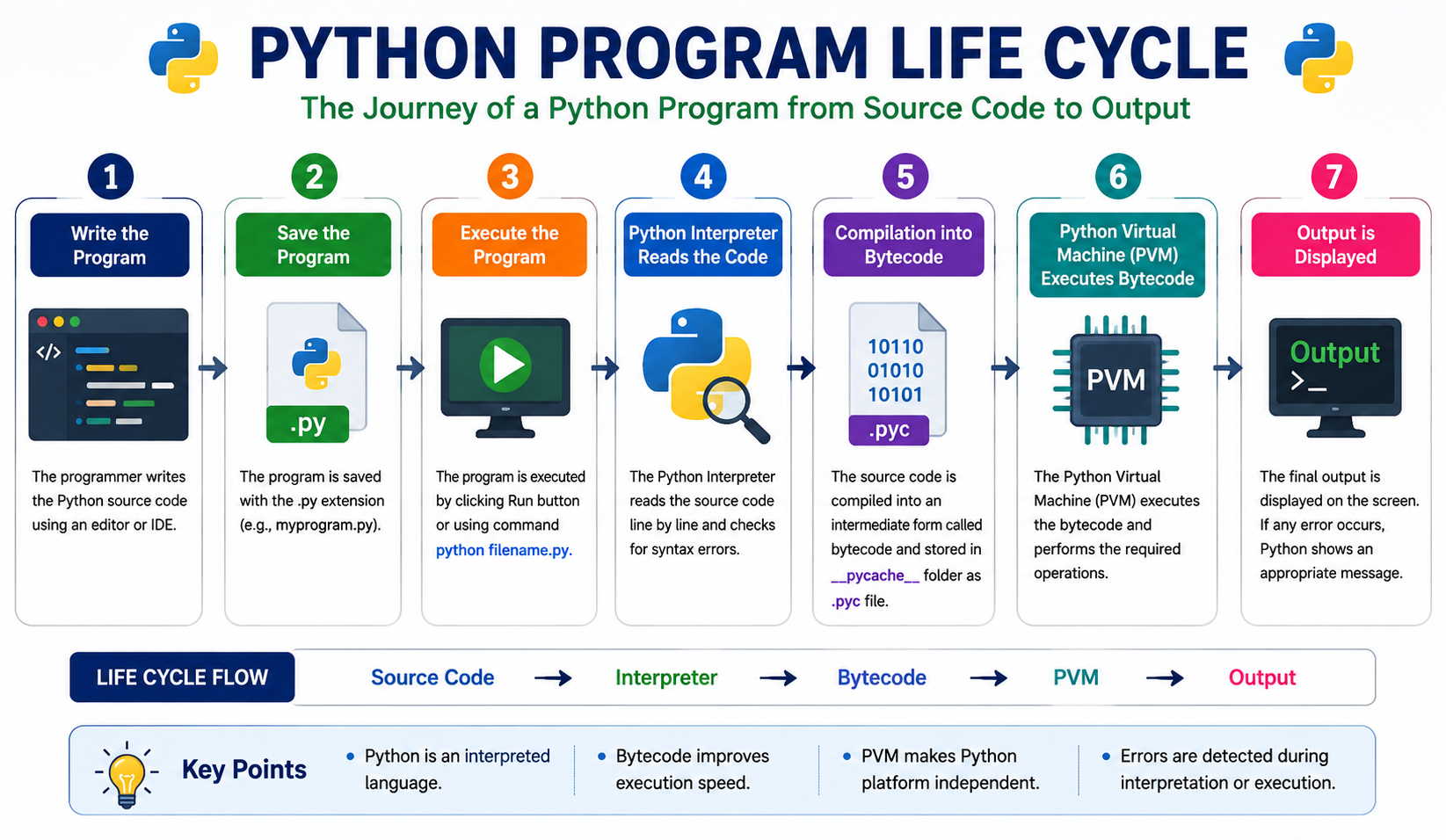
- Write the Python Program
- Save the Program (.py file)
- Execute the Program
- Python Interpreter Reads the Code
- Compilation into Bytecode (.pyc)
- Python Virtual Machine (PVM) Executes Bytecode
- Output is Displayed
Life Cycle Overview
| Stage | Description |
|---|---|
| Write Code | Create the Python program using an IDE or text editor. |
| Save | Store the program with the .py extension. |
| Run | Execute the Python file. |
| Compile | Python converts source code into bytecode. |
| Execute | The Python Virtual Machine (PVM) executes the bytecode. |
| Output | Results are displayed on the screen. |
Step 1: Writing the Program
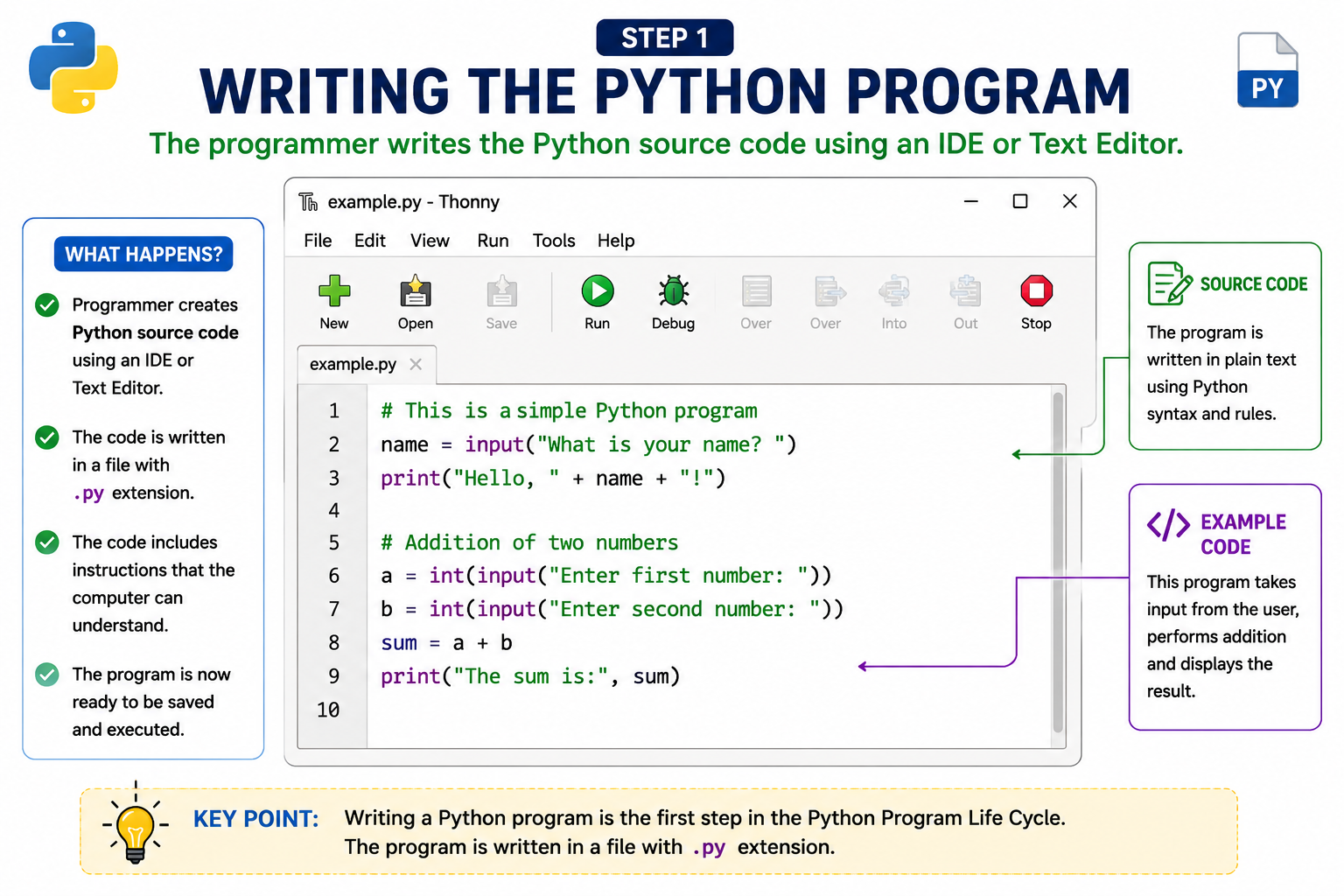
The programmer writes the Python source code using an IDE such as IDLE, Visual Studio Code, PyCharm or Thonny. The source code is written in a file having the extension .py.
Step 2: Saving the Program
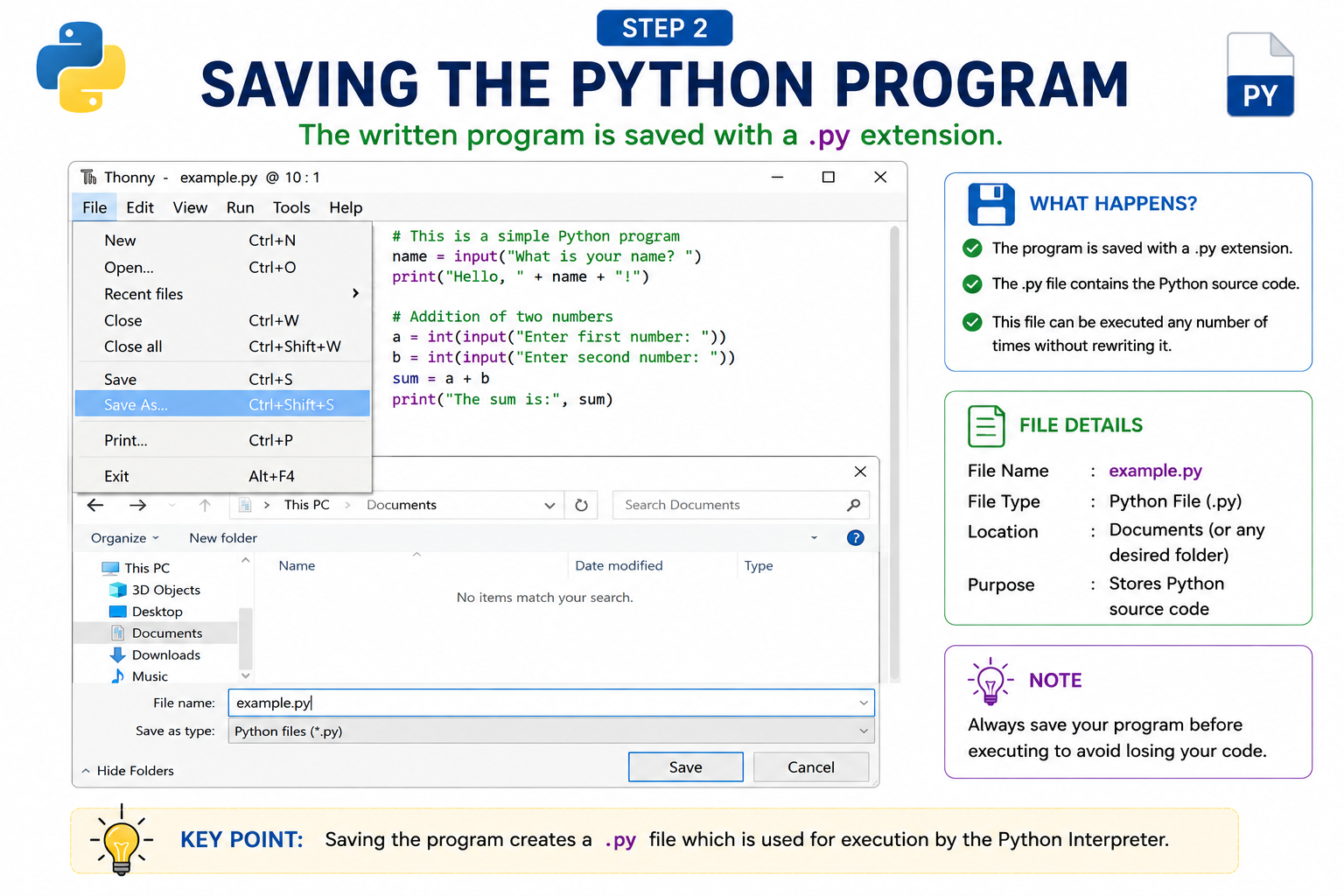
After writing the source code, the program is saved with the extension .py. This file contains the Python source code and can be executed multiple times without rewriting it.
Step 3: Executing the Program
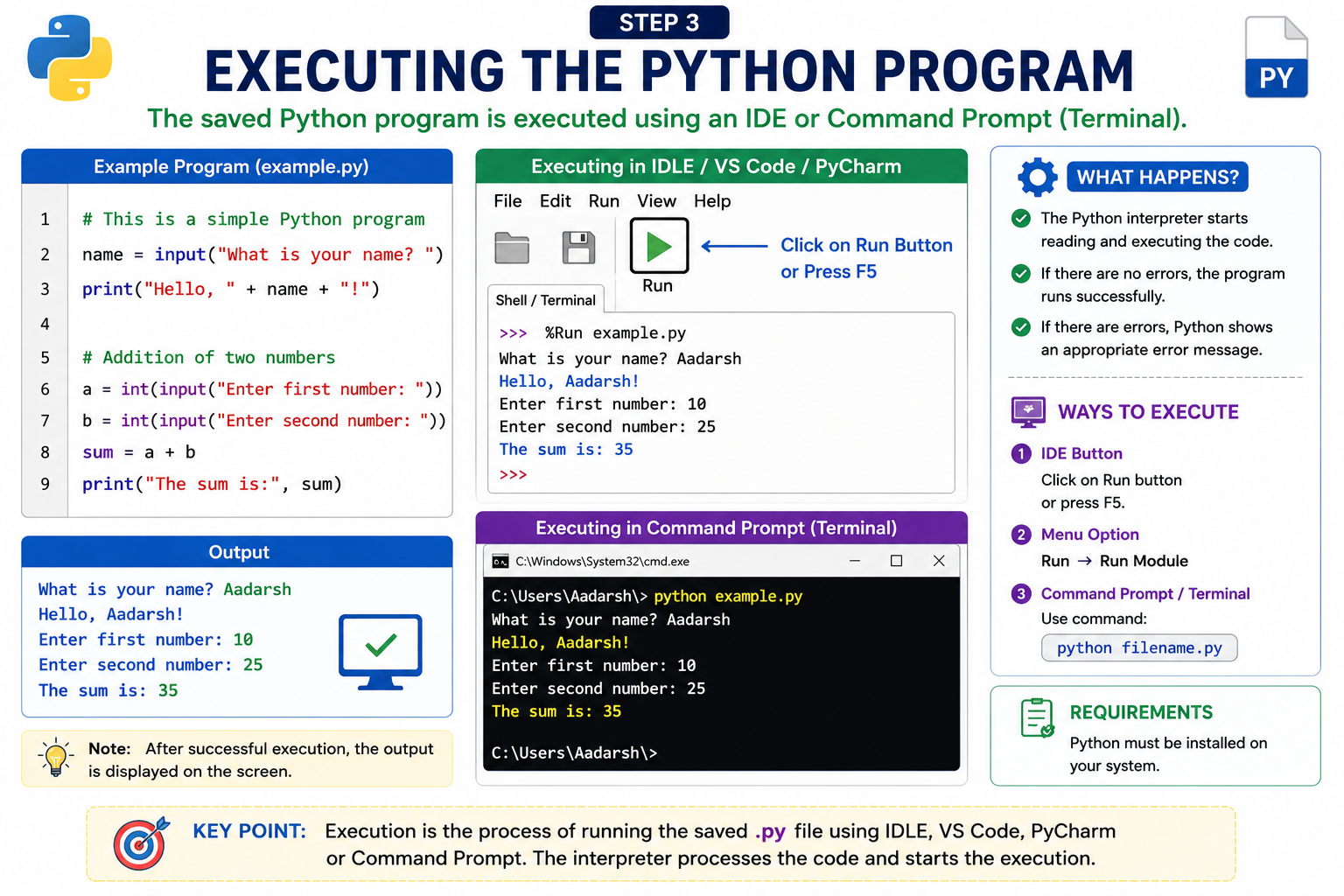
The saved Python program is executed using an IDE such as IDLE, PyCharm or VS Code, or through the Command Prompt (CMD) or Terminal. The Python interpreter begins processing the source code.
Step 4: Python Interpreter
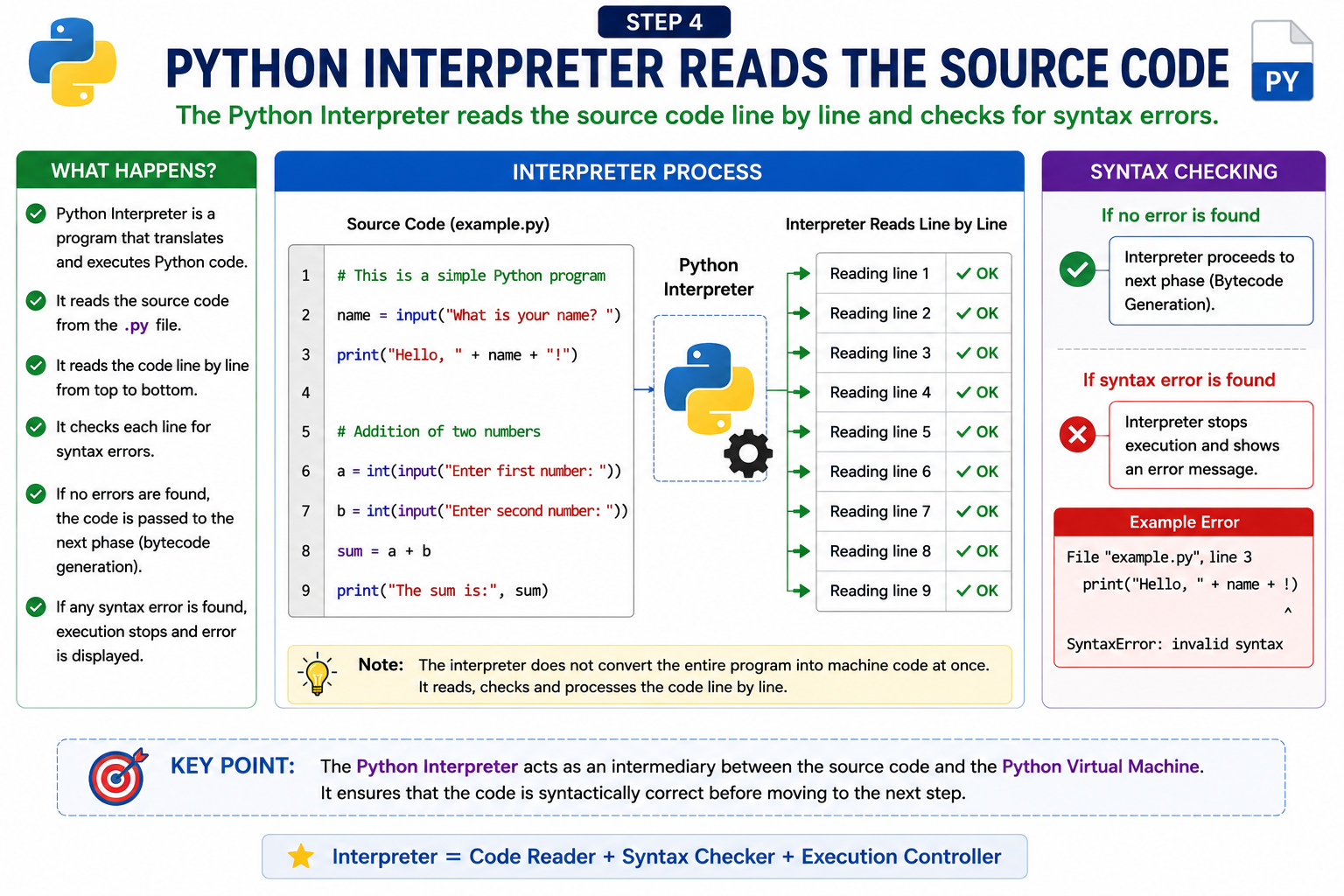
Unlike C or C++, Python is an interpreted language. The Python Interpreter reads the source code line by line, checks for syntax errors and prepares it for execution.
Step 5: Compilation into Bytecode
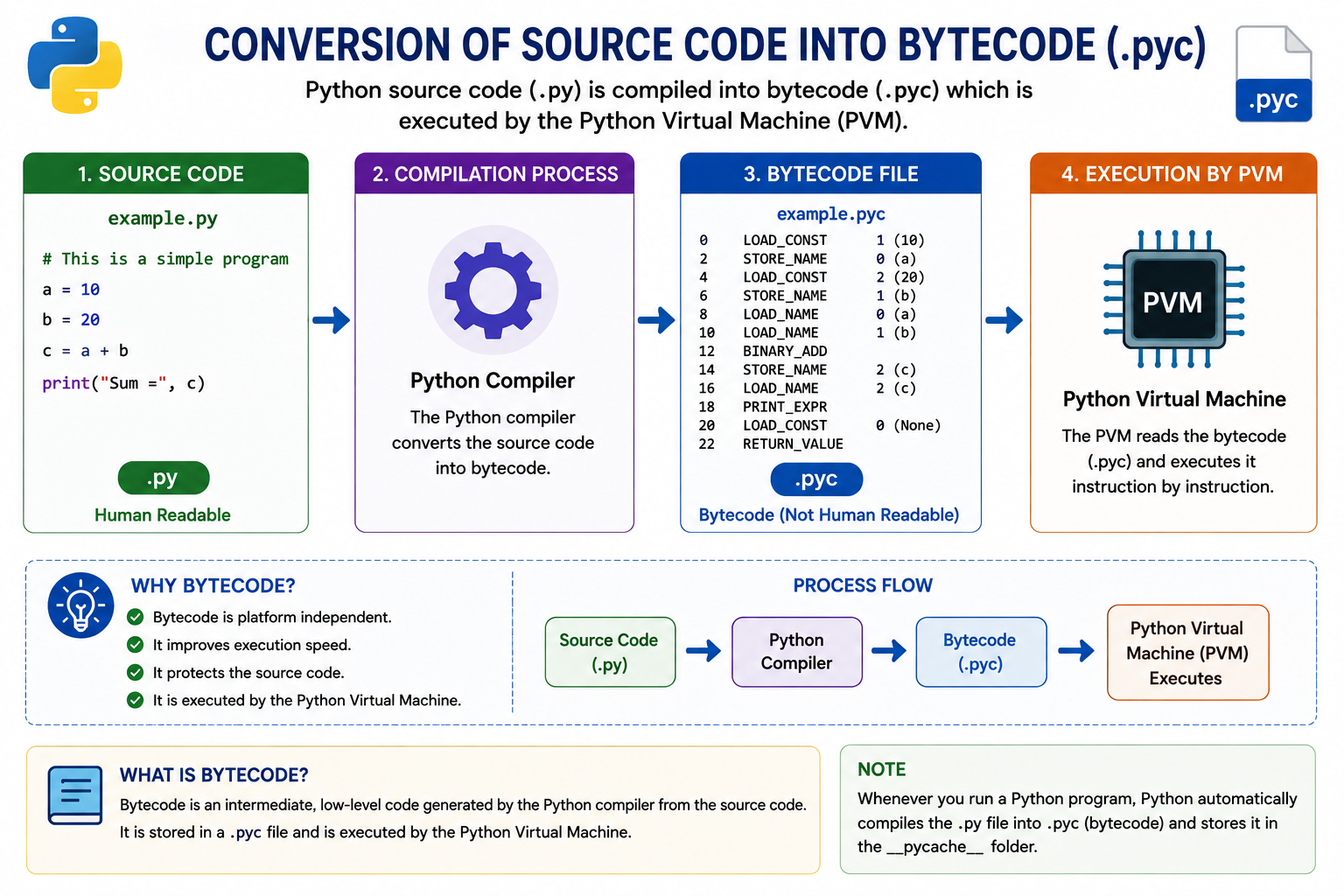
Before execution, Python converts the source code into an intermediate representation called Bytecode. Bytecode is stored in the __pycache__ folder with the extension .pyc, allowing faster execution during subsequent runs.
Bytecode Advantages
- Speeds up program execution.
- Reduces recompilation time.
- Platform independent.
- Improves overall performance.
Step 6: Python Virtual Machine (PVM)
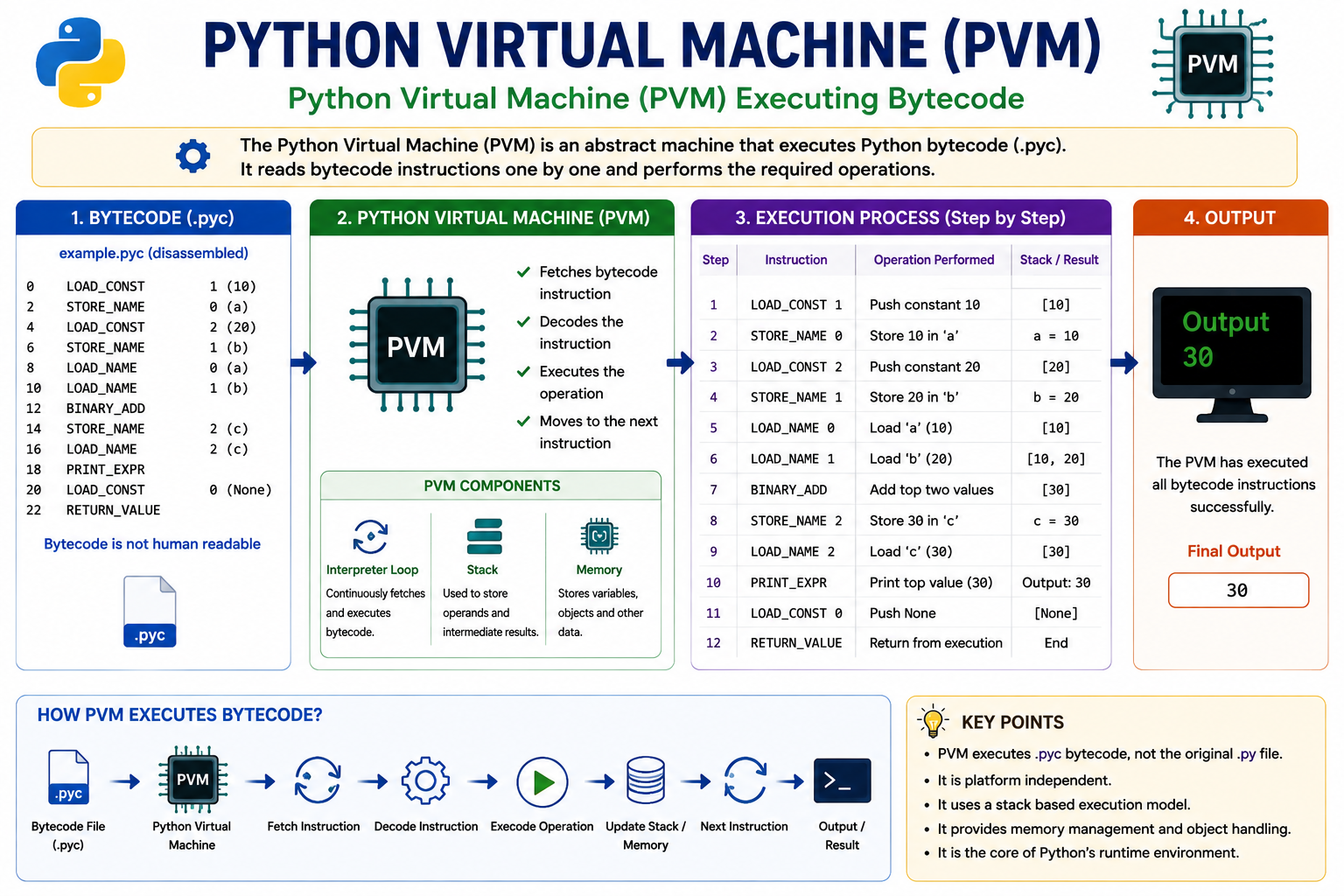
The Python Virtual Machine (PVM) executes the generated bytecode. It acts as the runtime engine of Python and converts bytecode into machine-level instructions that the operating system can execute.
Step 7: Displaying the Output
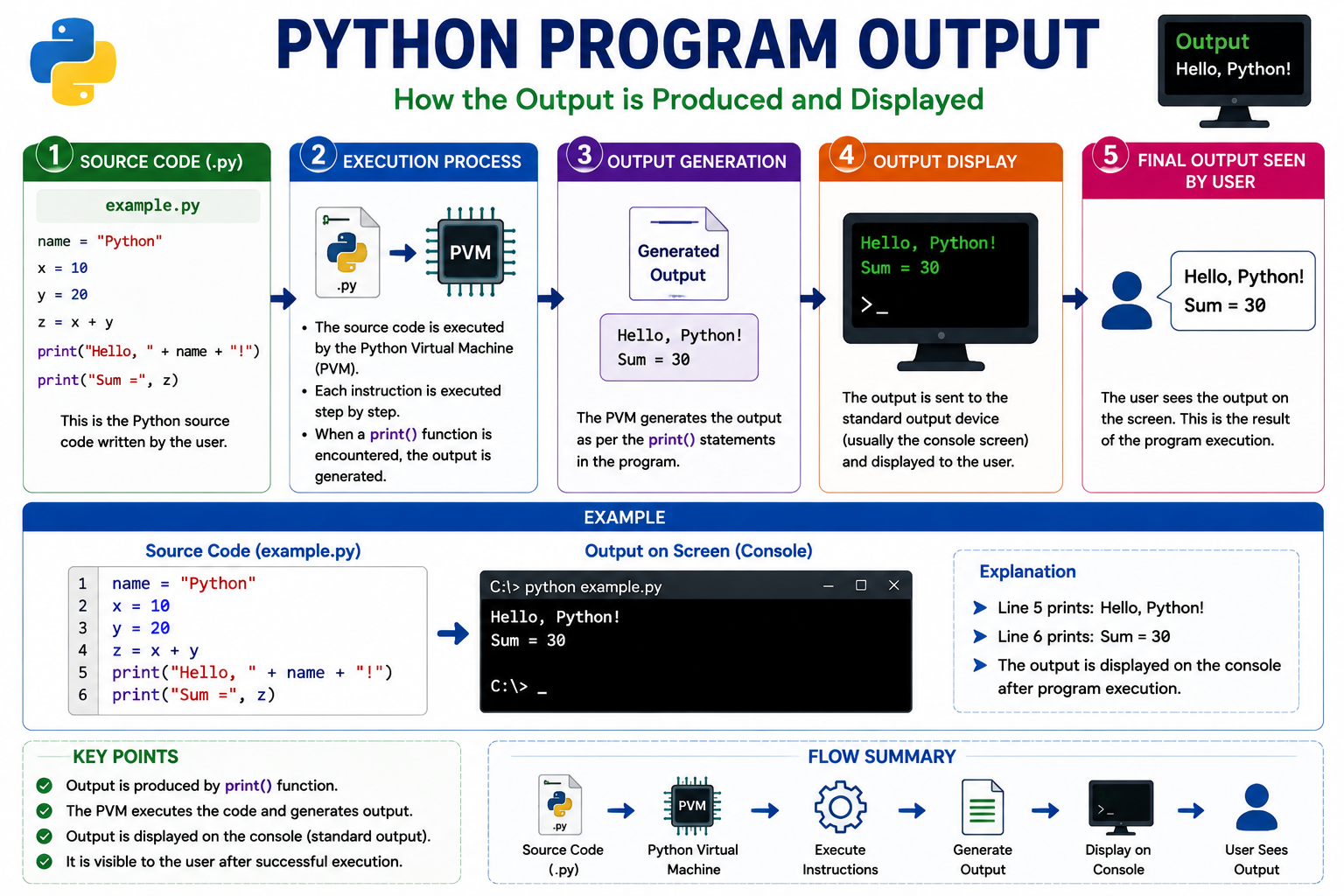
After successful execution by the Python Virtual Machine, the required output is displayed on the screen. If any syntax or runtime error occurs, Python immediately displays an appropriate error message.
Complete Python Program Life Cycle

| Step | Activity |
|---|---|
| 1 | Write Python Source Code |
| 2 | Save Program (.py) |
| 3 | Run the Program |
| 4 | Python Interpreter Reads Source Code |
| 5 | Generate Bytecode (.pyc) |
| 6 | Python Virtual Machine Executes Bytecode |
| 7 | Display Output |
Advantages of Python Program Life Cycle
- Easy program execution.
- Automatic compilation into bytecode.
- Platform independent execution.
- Fast execution using cached bytecode.
- Automatic error reporting.
- Simple execution process for beginners.
AKTU Viva Questions
- What is the Python Program Life Cycle?
- What is a Python source file?
- What is the extension of a Python program?
- What is bytecode?
- Where is bytecode stored?
- What is the function of the Python Interpreter?
- What is Python Virtual Machine (PVM)?
- Why is bytecode generated?
- What happens if a syntax error occurs?
- Differentiate between source code and bytecode.
Interview Questions
- Explain the complete Python Program Life Cycle.
- How does Python execute a program internally?
- What is the purpose of the __pycache__ folder?
- Why is Python called an interpreted language?
- What is the role of the Python Virtual Machine?