
Python IDE (Integrated Development Environment)

Introduction
An Integrated Development Environment (IDE) is a software application that provides all the tools required to write, edit, run, debug and manage Python programs in one place. Instead of using multiple applications, a Python IDE combines a code editor, interpreter, debugger, terminal and project management tools into a single interface.
Python programs can be written using a simple text editor, but IDEs make programming much easier by providing features such as syntax highlighting, automatic code completion, debugging and error detection.
Features of a Python IDE
- Syntax Highlighting
- Auto Code Completion
- Error Detection
- Debugger
- Integrated Python Interpreter
- Project Management
- Terminal Support
- Code Formatting
- Extensions and Plugins
- Version Control Integration
Components of a Python IDE
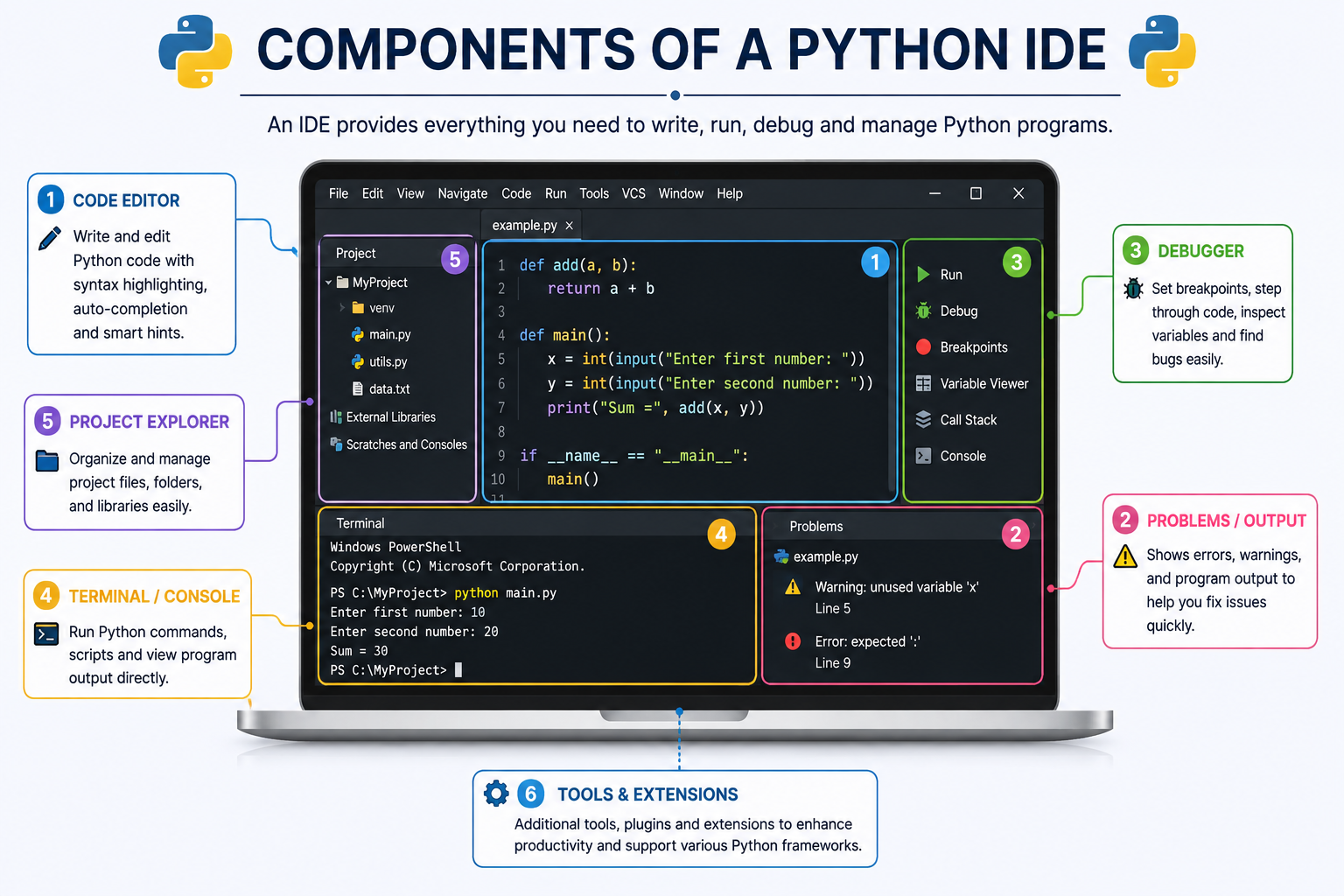
| Component | Purpose |
|---|---|
| Code Editor | Write Python programs. |
| Interpreter | Executes Python code. |
| Debugger | Finds and fixes program errors. |
| Terminal | Runs Python commands. |
| Project Explorer | Manages project files. |
| Extensions | Adds additional functionality. |
Popular Python IDEs
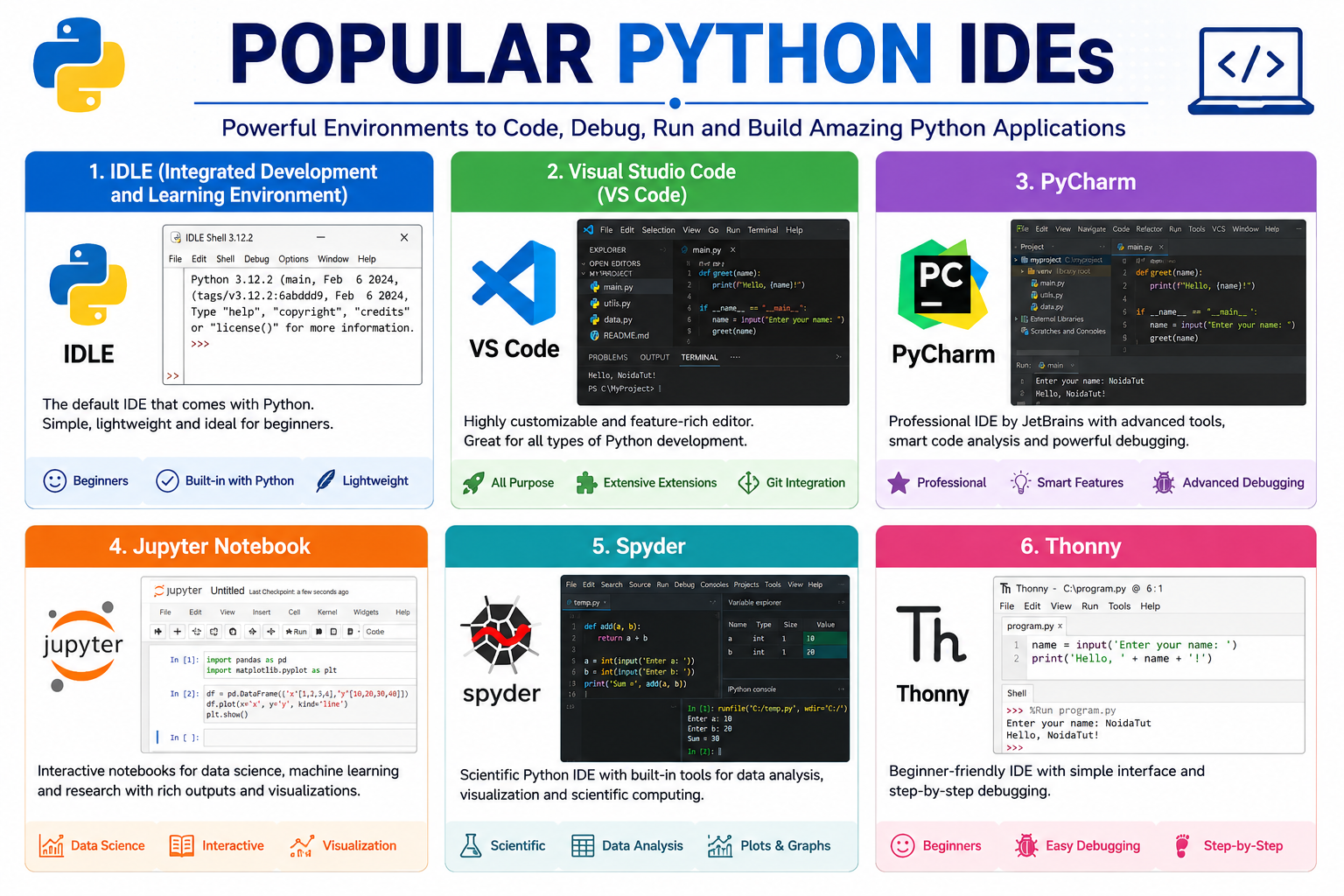
| IDE | Suitable For |
|---|---|
| IDLE | Beginners |
| Visual Studio Code | Students and Professionals |
| PyCharm | Professional Development |
| Spyder | Data Science |
| Jupyter Notebook | Machine Learning and Research |
| Thonny | Beginners |
1. IDLE (Integrated Development and Learning Environment)
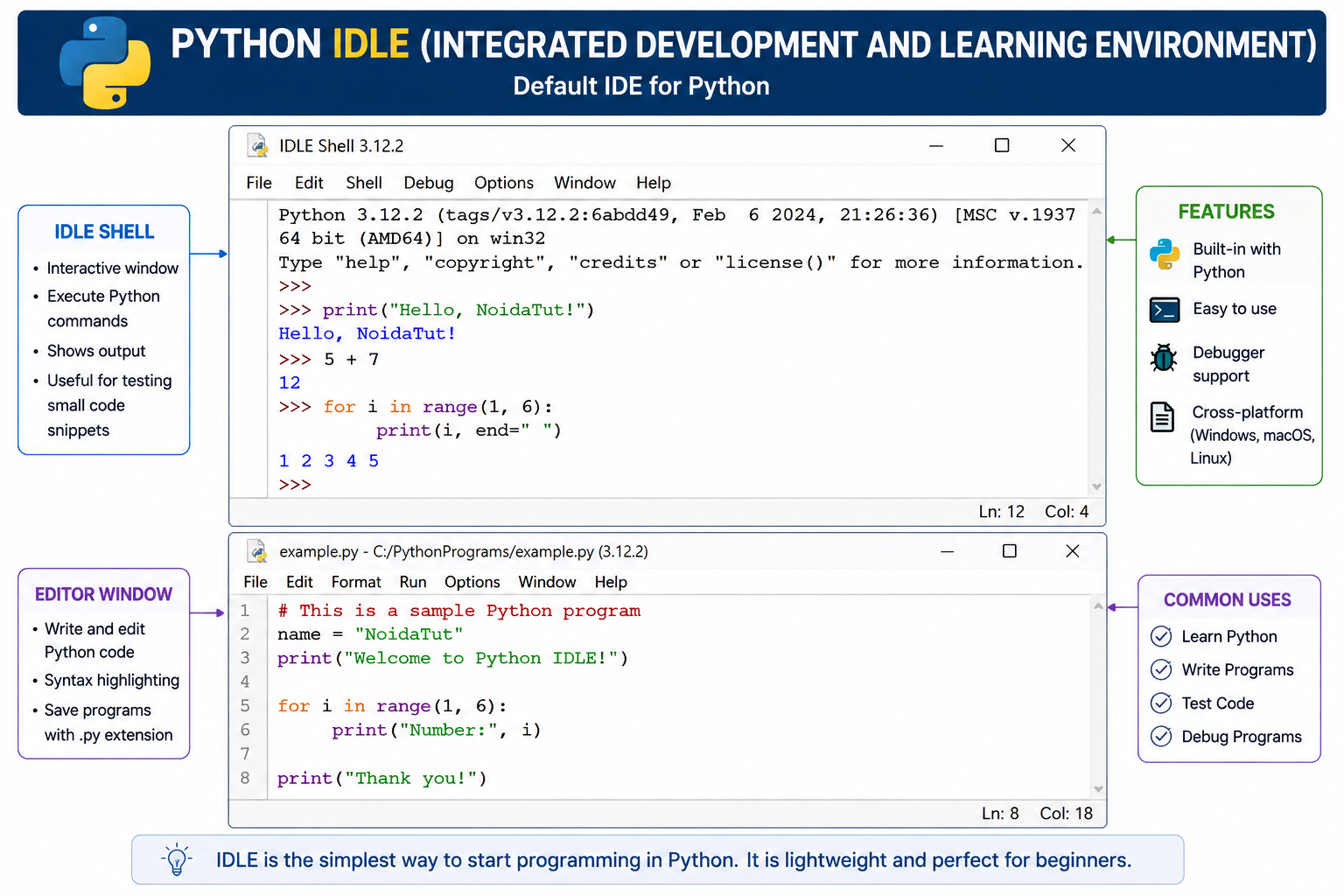
IDLE is the default IDE that comes pre-installed with Python. It is lightweight, easy to use and ideal for beginners. It supports syntax highlighting, interactive shell, debugging and running Python scripts.
2. Visual Studio Code (VS Code)
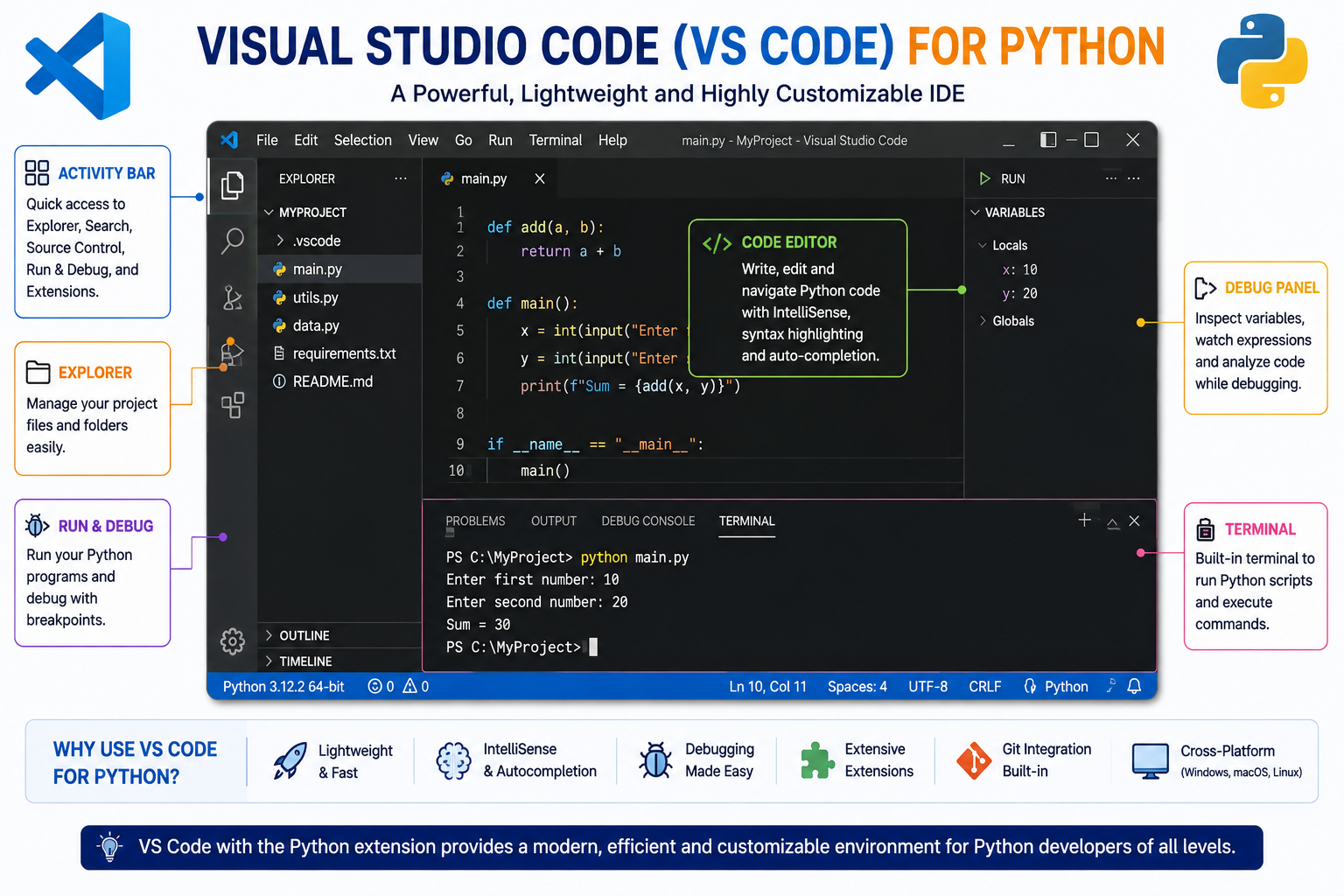
Visual Studio Code (VS Code) is one of the most popular code editors for Python development. It provides intelligent code completion, syntax highlighting, integrated terminal, debugging, Git integration and thousands of extensions.
3. PyCharm
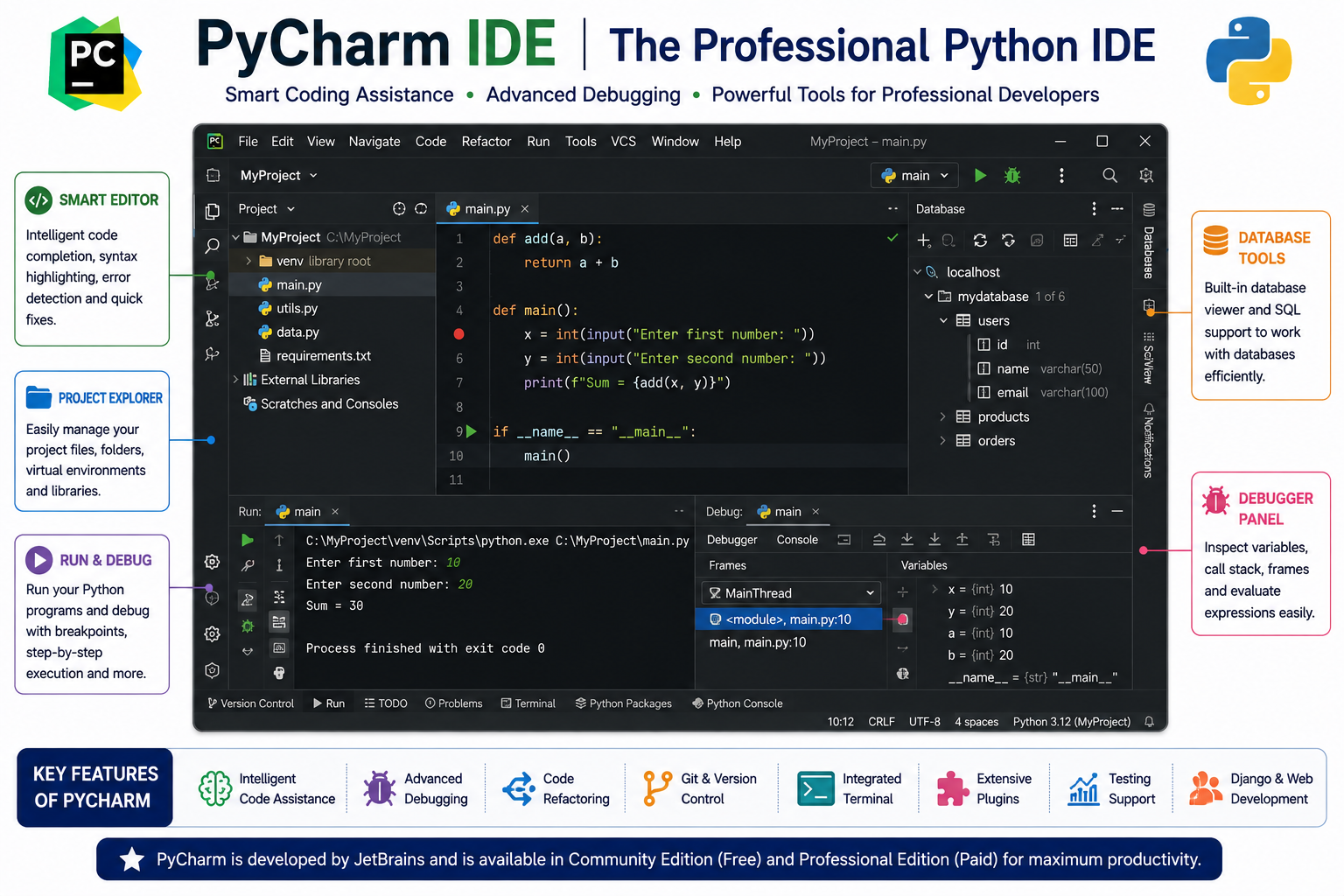
PyCharm is a professional Python IDE developed by JetBrains. It offers advanced code analysis, debugging, project management, testing tools and excellent support for web development, Data Science and Machine Learning.
4. Jupyter Notebook

Jupyter Notebook is widely used in Data Science, Artificial Intelligence, Machine Learning and research. It allows users to write Python code, display graphs, equations and documentation together in a single interactive notebook.
5. Spyder
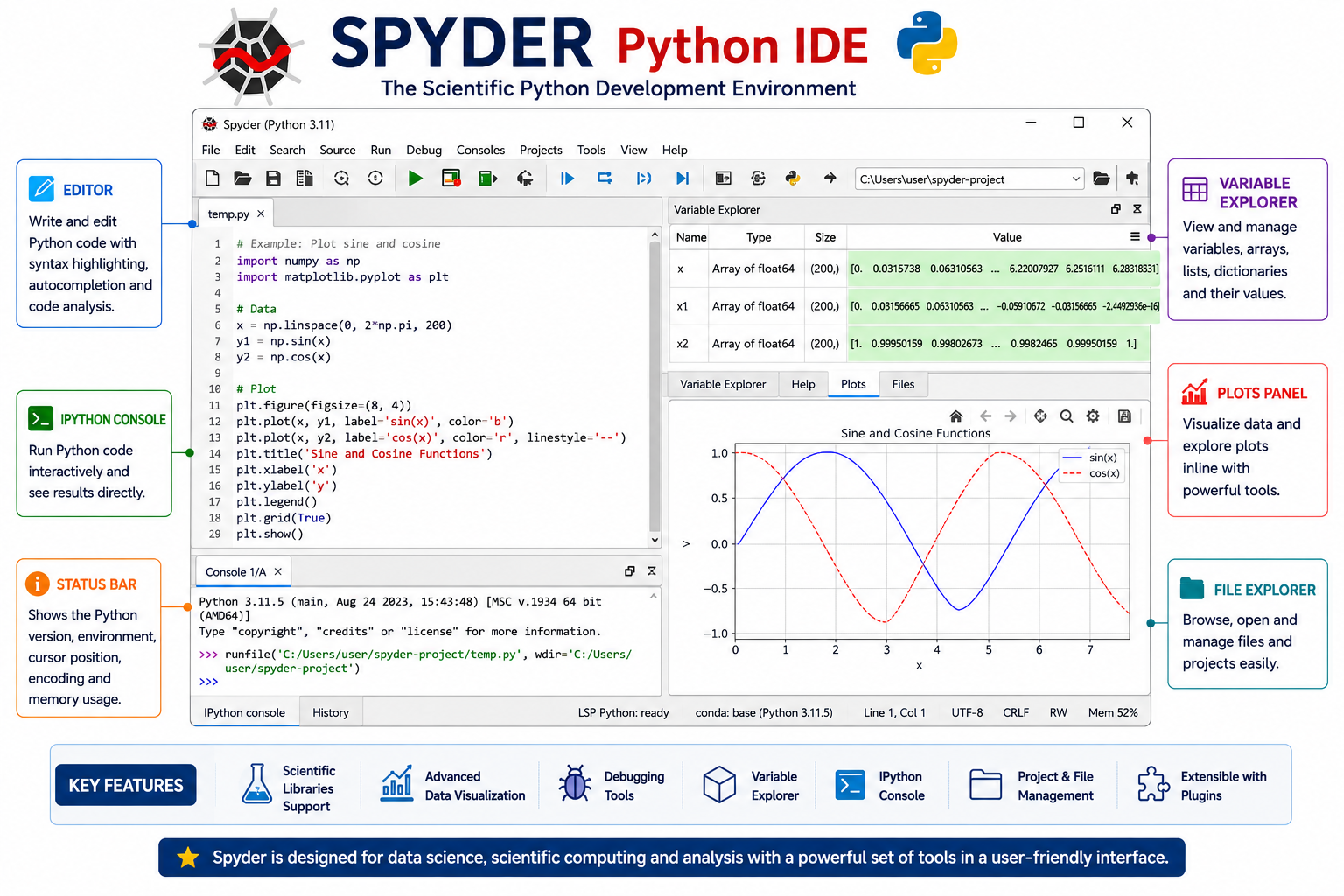
Spyder is an open-source scientific Python IDE specially designed for scientists, engineers and data analysts. It integrates well with NumPy, SciPy, Pandas and Matplotlib.
6. Thonny
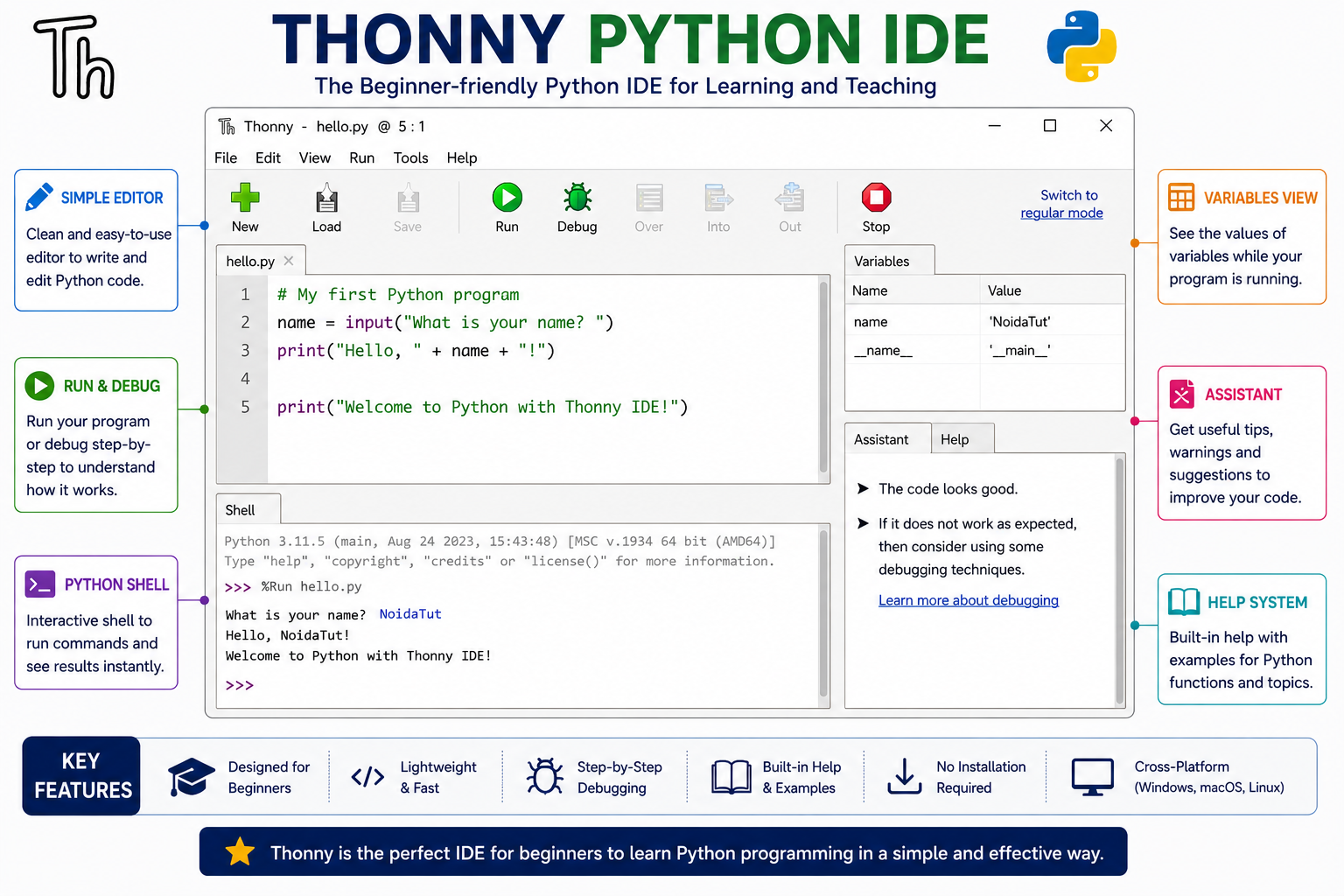
Thonny is a beginner-friendly Python IDE with a simple interface. It includes a built-in debugger, syntax highlighting and step-by-step code execution, making it ideal for students learning Python.
Comparison of Popular Python IDEs
| IDE | Best For | Free |
|---|---|---|
| IDLE | Beginners | Yes |
| VS Code | General Development | Yes |
| PyCharm Community | Professional Programming | Yes |
| Jupyter Notebook | Data Science | Yes |
| Spyder | Scientific Computing | Yes |
| Thonny | Students | Yes |
Advantages of Using a Python IDE
- Easy to write and edit Python programs.
- Provides syntax highlighting for better readability.
- Detects programming errors automatically.
- Supports intelligent code completion.
- Makes debugging faster and easier.
- Runs Python programs with a single click.
- Organizes multiple files and projects.
- Supports Git and version control.
- Improves programmer productivity.
- Suitable for beginners as well as professionals.
How to Choose the Right Python IDE?
| If You Are... | Recommended IDE |
|---|---|
| Learning Python | IDLE or Thonny |
| College Student | VS Code |
| Professional Developer | PyCharm |
| Data Scientist | Jupyter Notebook |
| Scientific Researcher | Spyder |
Quick Summary
AKTU Viva Questions
- What is an IDE?
- What is the full form of IDLE?
- Name any four Python IDEs.
- Which IDE comes with Python installation?
- Which IDE is developed by JetBrains?
- Which IDE is popular for Data Science?
- Which IDE is suitable for beginners?
- What is syntax highlighting?
- What is code completion?
- Why is an IDE preferred over a text editor?
Interview Questions
- What features should a good IDE provide?
- Differentiate between IDLE and VS Code.
- Why do professional developers prefer PyCharm?
- What is the role of Jupyter Notebook in Machine Learning?
- Can Python programs be written without an IDE?